It is possible to update attribute information in layers (e.g. Graphics Parameters (GP)), or change the attribute data contained in any field for every feature in the Edit Layer or User Layers using the Update Layer form.
Right-mouse click on a layer and select Update Attribute Information.
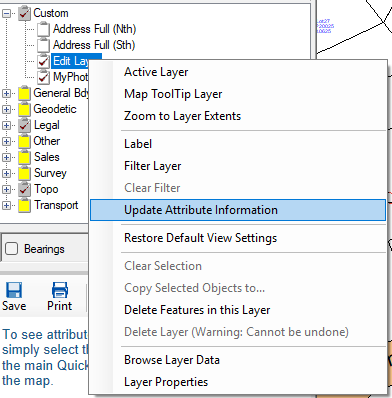
This method can be used to bulk update every feature in any editable layer.
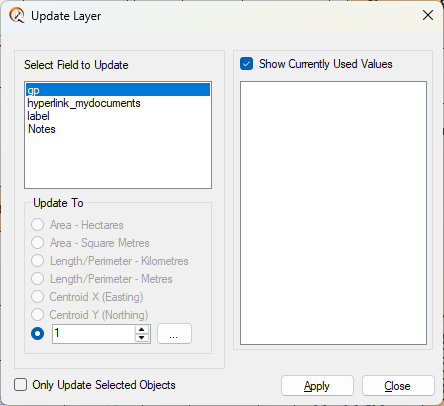
To add fields to the Attribute Editor, refer to Modifying Layer Structure.
To update attribute information for a single feature only, use the Info tool to select a feature in the Editable Layer, then click the Edit button in the Info window. You may need to widen the Info window to locate Edit.
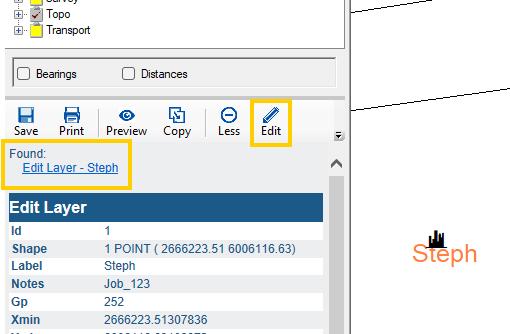
This will display the Quickmap Attribute Editor form.
You can search this data at any time by selecting Find → Custom from the menu.